As an Amazon Associate, we earn from qualifying purchases. Some links on this site are affiliate links at no extra cost to you. Our recommendations are based on thorough research and editorial judgment.


How To Set Delay Settings?

To set delay settings effectively, let’s first identify the delay type you need—be it digital, analog, or tape. Next, configure the delay time, aiming for short delays (250-350 ms) for punchy effects, mid-range (300-800 ms) for clear repeats, or longer delays (800-1200 ms) for spacious echoes. Adjust feedback for stability, utilize modulation for texture, and apply filters to shape frequency content. By mastering these elements, you can enhance your sound considerably, with more tips ahead to explore.
Key Takeaways
- Start by choosing the appropriate delay type (digital, analog, tape, multitap, or slapback) for your desired sound character.
- Adjust delay time settings based on your genre: short delays for punchy effects, mid-range for rhythmic clarity, and longer for spacious echoes.
- Fine-tune feedback control to maintain stability, adjusting gain levels to avoid instability and phase issues.
- Utilize modulation features by adjusting depth and rate to create dynamic movement in your delays.
- Implement filtering techniques to shape the frequency content of delayed signals, balancing dry and wet signals for clarity.
Understanding Delay Types
When we explore understanding delay types, it’s essential to recognize that each has its unique characteristics and applications.
- Digital Delay: Produces precise replicas of your original sound, allowing for infinite delay time.
- Analog Delay: Provides vintage warmth through natural sound saturation, creating lovely degradation on repeats.
- Tape Delay: Mimics the warm, slightly imperfect sound of magnetic tape, complete with echo characteristics like wow/flutter.
- Multitap Delay: Delivers complex rhythmic layering through multiple, independently timed echoes.
- Slapback Delay: Features a short, single repeat perfect for that classic ’50s sound.
These various delay types shape your sound in distinct ways, giving you the power to experiment and discover what suits your style best. Additionally, understanding how advanced tuning techniques can enhance overall sound quality is crucial when setting delay settings for optimal performance.
Configuring Delay Time Settings
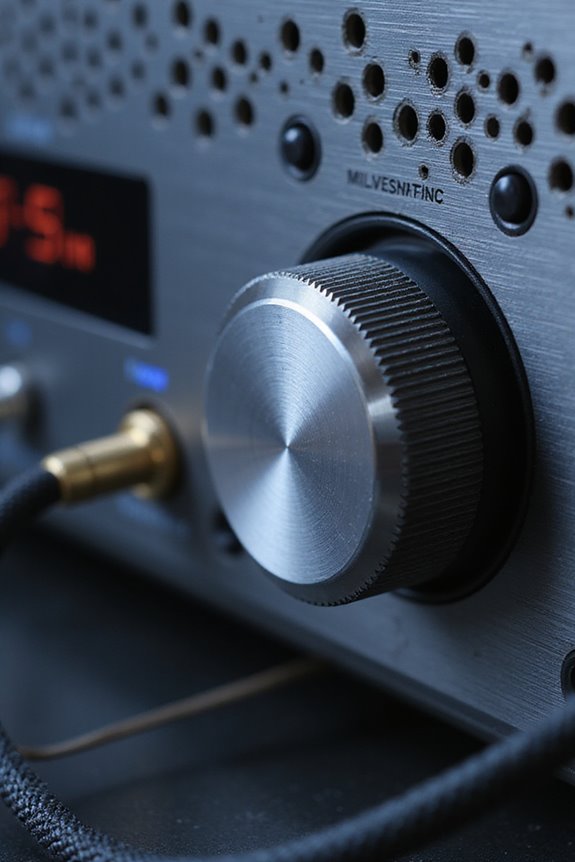
Configuring delay time settings is a vital step in shaping the overall sound of your music. To achieve the desired effect, we should focus on delay time adjustment based on your genre and song tempo.
- Short delays (250-350 ms) deliver punchy slapback effects, ideal for blues and rock.
- Mid-range settings (300-800 ms) suit metal and rock for clear rhythmic repeats.
- Longer delays (800-1200 ms) create spacious echoes for worship or ambient music.
When using echo spacing techniques, we can tailor our echo to complement the music’s rhythm. Listening actively while adjusting the delay time will guarantee it fits seamlessly into the mix. Remember, experimenting with different settings can lead to unique and engaging soundscapes in your tracks. Additionally, considering the frequency response of your speakers can enhance how delay effects are perceived in the overall mix.
Adjusting Feedback Control
Adjusting feedback control is essential for maintaining the stability of your system, especially in scenarios where delays are present. We need to evaluate feedback gain carefully, as it plays a vital role in avoiding instability. When delays reduce our phase margin, we might find ourselves facing instability at critical crossover frequencies.
To achieve effective stability analysis, we can follow these steps:
- Reduce Feedback Gain: This helps restore stability when delays exceed safe limits.
- Iterative Tuning: Simulation and analysis can guide us in balancing performance with delay compensation.
- Monitor System Response: Focus on overshoot and settling time as we adjust parameters. Additionally, understanding audio configuration types can further assist in optimizing your system for various setups.
Utilizing Modulation Features
Modulation features play a significant role in shaping the character of your delay effects. By adjusting modulation depth, you control the amount of pitch variation, creating interesting vibrato-like effects. A greater depth can add a warm, organic character, while subtle modulation creates a warbling texture.
The modulation rate defines how fast those changes occur. A slower rate offers gentle shifts, while a faster rate results in phasey textures, often reminiscent of chorusing.
Using modulation in stereo delays can further enhance your soundscape. Different settings for the left and right channels allow for immersive, spacious effects. Ultimately, by balancing modulation depth and rate, we can achieve engaging delays that feel alive rather than static. Additionally, incorporating advanced speaker configurations can elevate your overall audio experience.
Applying Filtering Techniques

When considering how to enhance your delay effects, have you thought about the power of filtering techniques? Using different filter types—like low-pass, high-pass, and band-pass—we can shape the frequency content of our delayed signals effectively. By adjusting filter settings on individual delay taps, we can control echo decay and mitigate comb filtering, avoiding annoying resonant peaks.
- Frequency attenuation helps reduce problematic bands.
- Psychoacoustic placement guarantees that our delay taps provide the right spatial effect.
Incorporating filters within feedback loops allows for tone shaping and dynamic parameters that evolve over time. Remember, a balance between dry and wet signals is essential. Additionally, understanding the impact of subwoofer specifications can further inform your delay settings and overall audio quality. Test your settings in context to see how they integrate with the overall mix and enhance your sound.
Exploring Advanced Delay Patterns
With the right filtering techniques in place, we can now explore advanced delay patterns that add depth and complexity to our mixes. By implementing LFO modulation, we can dynamically adjust delay time and feedback to create evolving textural layers. Using stereo imaging, we can manipulate left and right channel delays, producing immersive spatial effects.
Employing feedback chains enhances complexity, while tempo manipulation aligns rhythmic patterns with our track’s tempo, enabling snappy, immediate delays. Additionally, delay automation lets you sculpt movements within our mixes, keeping the listener engaged. Experiment with various delay modes and settings to find unique combinations that not only elevate your sound but also blend seamlessly with other elements. Let’s create music that resonates together!
Setting Practical Delay Pedal Settings
When adjusting the Effect Level, consider how pronounced you want the echo. Lower settings provide background ambiance; higher settings make echoes stand out. Also, remember the Tone Control feature to shape the character of your repeats. By mastering these basics, you can effectively explore diverse setting delay types, elevating your overall tone and performance.
Syncing Delay to Music Tempo
Syncing delay effects to music tempo is a game-changer for achieving rhythmic consistency in your tracks. By adjusting the delay time relative to your project’s BPM, we can guarantee rhythmic alignment that keeps everything in the pocket. Many DAWs offer a “tempo sync” option, allowing you to lock delays to note subdivisions, like 1/4 or 1/8 notes.
Here are a few tips:
- Use your DAW’s global BPM as a reference.
- Activate delay sync mode for automatic note value alignment.
- Fine-tune timings, choosing triplets or dotted notes for musical context.
- Employ auto-detect features to match external tempos seamlessly.
Balancing Dry and Wet Signals
Balancing dry and wet signals is essential for achieving a polished sound in any mix. To maintain your dry signal strength, we should guarantee it remains clear and audible even as we add effects. Here are a few tips to achieve this balance:
- Control Levels: Use mix controls to dial in the wet signal. Keeping it below 50% can help retain that dry signal clarity while adding depth.
- Dual Signal Paths: Consider a parallel setup, allowing the dry signal to stay intact while blending in the wet effects.
- Monitor Adjustments: Regularly check your levels to avoid unwanted clipping or phase cancellation.
Creative Use of Delay Effects
Exploring delay effects can greatly enhance your mix, adding depth and creativity. By using creative layering, we can combine rhythmic exploration with atmospheric textures, leading to unique sounds that captivate listeners. Techniques like ping-pong dynamics create intriguing spatial enhancement, while percussive fills can inject energy into your tracks.
To craft ambient layers, let’s consider longer delay times with high feedback, creating intricate echoes that evolve over time. Adjusting the wet/dry balance and incorporating warm saturation allows us to emphasize sonic movement without cluttering the mix.
Experimenting with multi-tap delays introduces lush textures, while subtle adjustments to delay settings can yield unexpected yet satisfying results. Embrace these tools to transform your sound and discover a new dimension in your music.
Frequently Asked Questions
How Does Temperature Affect My Delay Pedal’s Performance?
Temperature variations and humidity influence our delay pedal’s performance, right? They can alter sound quality and timing, making adjustments necessary. Let’s keep our gear stable to guarantee we enjoy consistent, reliable tones during every performance together.
Can Battery Level Impact Delay Sound Quality?
Yes, our battery level can definitely impact sound fidelity. When battery efficiency dwindles, we might experience interruptions or lag. It’s always best to keep our devices charged for peak audio quality and performance.
What Cables Should I Use for Optimal Delay Signal?
For ideal delay signal, we should use premium cables designed to enhance signal integrity. Balanced connections and quality materials can help us guarantee clarity and minimize latency, creating a more enjoyable audio experience together.
How Do I Troubleshoot Delay Pedal Signal Loss?
To troubleshoot delay pedal signal loss, we should guarantee signal integrity by checking cables, power supplies, and connections. Using effective troubleshooting techniques helps us isolate issues, leading to an enjoyable playing experience together.
Are There Any Maintenance Tips for Delay Pedals?
We should create a maintenance schedule that includes regular pedal cleaning. By protecting our beloved delay pedals from dirt and wear, we guarantee they always perform at their best, allowing us to truly express our musicality together.