As an Amazon Associate, we earn from qualifying purchases. Some links on this site are affiliate links at no extra cost to you. Our recommendations are based on thorough research and editorial judgment.


Coaxial Vs Optical Audio Cable

When comparing coaxial and optical audio cables, we see distinct features that cater to different needs. Coaxial cables transmit digital audio via electrical signals and are great for short distances, supporting up to 24-bit/192 kHz resolution. In contrast, optical cables use light pulses for transmission, effectively reducing interference and preserving signal integrity over longer distances, but max out at 24-bit/96 kHz. Choosing the right cable depends on your equipment and setup, and there’s more to explore about their unique advantages.
Key Takeaways
- Coaxial cables transmit audio as electrical signals and support higher resolutions up to 24-bit/192 kHz, ideal for high-quality sound.
- Optical cables convert audio into light pulses, providing immunity to electromagnetic interference, making them suitable for noisy environments.
- Coaxial cables feature robust shielding and are more durable, while optical cables are flexible but can be damaged by sharp bends.
- Coaxial cables use RCA connectors and are widely compatible with various devices, while optical cables utilize Toslink connectors, primarily for modern equipment.
- Choose coaxial for short-distance connections and high-resolution audio; opt for optical in crowded setups where interference is a concern.
Transmission Medium and Signal Type
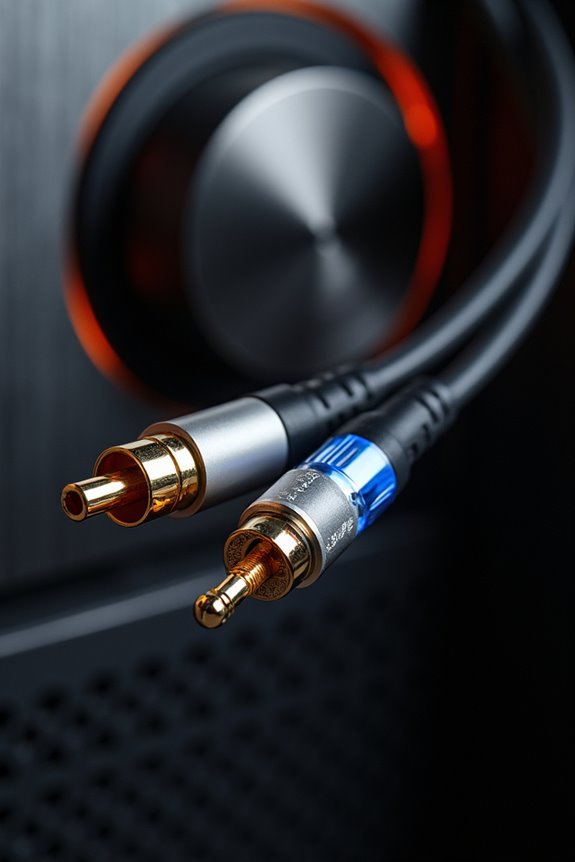
When we look at the transmission medium and signal type of coaxial and optical audio cables, it’s clear that each has its distinctive features. Coaxial cables use a copper core conductor to transmit audio as electrical digital signals. Their transmission mechanisms involve pulses that represent binary data, connecting easily with traditional RCA connectors.
On the other hand, optical cables convert audio signals into light pulses, traveling through glass or plastic fibers. This process allows for effective signal conversions while eliminating interference from electromagnetic and radio frequency noise. Additionally, while coaxial cables are ideal for short distances, wireless HDMI splitters can enhance connectivity options for a broader range of setups.
In essence, coaxial excels in short distances, while optical maintains integrity over longer spans, making both options valuable depending on your setup needs.
Bandwidth and Audio Quality Capabilities
In comparing coaxial and optical audio cables, we find significant differences in their bandwidth and audio quality capabilities, which can influence your audio experience. The bandwidth comparison reveals that coaxial cables support up to 24-bit/192 kHz resolution, allowing for superior acoustic detail in theory. In contrast, optical cables max out at 24-bit/96 kHz, limiting their compatibility with high-resolution formats.
While coaxial cables can experience electrical noise, optical cables are immune to electromagnetic interference, which can improve clarity in noisy environments. However, both types transmit digital signals effectively. Many home theater systems utilize advanced audio technologies to enhance the overall sound experience. In the end, your choice between these cables may depend on your specific audio needs and how much you value audio resolution in your setup.
Durability and Physical Characteristics
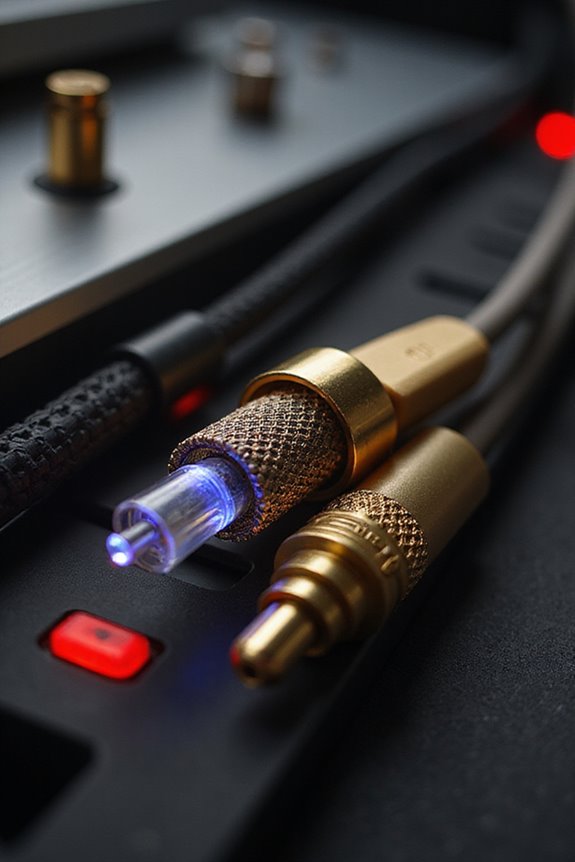
Moving from audio quality, durability and physical characteristics play an essential role in determining the best choice for your setup.
- Coaxial Cables: These are thicker and more rugged. With a central copper conductor, robust shielding, and locking connectors, they guarantee connector security and withstand mechanical stress better. You’ll find them less prone to damage over time.
- Optical Cables: Made from flexible optical fibers, they offer electrical isolation against interference. However, they’re thinner and more fragile, requiring careful handling. Bend them too sharply, and you risk damaging the internal fibers.
In high-movement environments, coaxial cables are generally the safer choice due to their sturdier build, while optical cables excel in setups where flexibility is prioritized, though they may sacrifice durability. Additionally, coaxial cables can support high-resolution audio for an enhanced listening experience, making them ideal for audiophiles.
Compatibility and Use Cases
Choosing the right audio cable for your device setup can be essential, as compatibility often dictates the effectiveness of sound transmission.
Coaxial Cables
- Use RCA connectors, compatible with most AV receivers, TVs, DACs, and gaming consoles.
- Support a wider range of audio formats, including high-resolution PCM and surround sound.
Optical Cables
- Feature Toslink connectors, mainly found on modern devices like TVs and soundbars.
- Excel in reducing interference, making them great for crowded setups but may not support older equipment.
When deciding, consider your installation scenarios. Some users prefer coaxial for high-quality audio, while others choose optical for simple setups. Always check your device manual for preferred audio connections to make informed decisions fitting your user preferences and needs. Additionally, exploring advanced calibration technology can further enhance your audio experience by optimizing sound performance.
Audio Interference and Signal Integrity

When it comes to audio cables, understanding audio interference and signal integrity is essential in ensuring ideal sound quality. Coaxial cables, which rely on copper conductors, are susceptible to electronic interference. Without proper cable shielding, they can pick up noise and experience ground loops, degrading the audio signal. In contrast, optical cables transmit sound as light, providing complete electrical isolation, which eliminates these interference issues. Cables that support high bandwidth capabilities are crucial for maintaining audio clarity and preventing signal loss.
Key Differences:
- Coaxial Cables:
- Risk of electrical noise and ground loops.
- Requires high-quality shielding for peak performance.
- Optical Cables:
- Immune to electromagnetic interference.
- Vulnerable to physical damage, affecting long-term reliability.
Limitations and Practical Considerations
While both coaxial and optical audio cables serve to transmit sound, they come with their own set of limitations and practical considerations that should guide your choice.
Bandwidth and Compatibility
- Coaxial cables can support higher bandwidth, up to 192 kHz, but may struggle with modern audio formats.
- Optical cables, while more compatible, often max out at 24-bit/96 kHz.
Installation Challenges
- Coaxial cables require specific 75-ohm RCA connectors, so keep cable maintenance in mind.
- Optical cables can be fragile and easily disconnected, posing physical usage constraints.
Noise Considerations
– Coaxial is prone to electromagnetic interference, while optical reduces noise but can introduce jitter.
Balancing these factors makes your choice clearer based on your needs and setup.
Comparing Durability: Coaxial vs. Optical
In the world of audio transmission, durability plays a significant role in determining the reliability of your setup. When conducting a durability comparison between coaxial and optical cables, we find distinct strengths and weaknesses.
- Coaxial Cables: They feature a solid copper core, are shielded against interference, and have a thicker jacket for abrasion resistance. The connectors provide a secure connection, making them suitable for repeated plugging and outdoor use.
- Optical Cables: Though immune to electromagnetic interference, they’re more fragile, with thin fibers that can snap or kink. Installation demands careful handling to avoid damage.
For both types, employing handling tips—like avoiding sharp bends for optical cables and ensuring coaxial connections are secure—will prolong their lifespan and maintain performance.
Analyzing the Audio Quality Differences
Audio quality can profoundly affect your listening experience, and understanding the differences between coaxial and optical cables is essential. When we look at audio resolution, coaxial cables shine, typically supporting up to 24-bit/192kHz. This capability allows for finer detail and greater sound dynamics in music reproduction. On the other hand, optical cables max out at 24-bit/96kHz, which may limit high-resolution audio playback for you.
For standard CD-quality audio, both cable types perform equally well at 16-bit/44.1kHz without noticeable quality loss. So, if you’re an audiophile or just enjoy listening to your favorite tracks, choosing the right cable can enhance your audio enjoyment considerably. Understanding these differences helps you make informed decisions for your audio setup.
Signal Flow: How Each Type Works
Understanding how coaxial and optical audio cables transmit signals is essential for optimizing your audio setup.
Coaxial cables transmit audio via electrical signals. Here’s how it works:
- Signal directionality is unidirectional; the digital audio signal flows from the source to the digital-to-analog converter (DAC).
- Signals are encoded in the S/PDIF format, which means they carry digital data rather than analog waves.
- The central conductor sends voltage pulses, while a surrounding shield protects against interference.
In contrast, optical cables use light pulses through fiber optics. They’re immune to electromagnetic interference but also offer unidirectional flow, guiding light signals instead of electrical currents. Each cable type has its own unique advantages, depending on what you need from your audio experience.
Best Practices for Cable Selection
Selecting the right audio cable can considerably affect your listening experience. Here’s a quick guide for cable selection:
- Cable Types: Choose between coaxial and optical based on your device compatibility. Verify it matches your ports; coaxial needs S/PDIF inputs, while optical uses TOSLINK.
- Connection Methods: Shorter cables minimize signal loss and noise interference. Aim for less than 10 feet with coaxial, and keep optical as short as necessary for peak performance.
- Quality Matters: Opt for cables with thick shielding to counteract electromagnetic interference, especially in noisy environments. High-quality connectors enhance durability and maintain signal integrity.
Future Trends in Audio Cable Technology
As we explore the horizon of audio cable technology, it’s clear that significant advancements are on the way. We’re witnessing a surge in market growth, driven by consumer demand for premium audio gear. Smart features are emerging in audio cables, which enable diagnostics and performance monitoring.
Additionally, immersive technologies are pushing the boundaries of what these cables can handle, supporting higher bandwidth and fidelity for superior audio experiences.
Key trends include:
- Integration of AV over IP technology, offering flexibility in audio routing.
- Enhanced cable materials that improve durability and noise reduction.
- The rise of hybrid solutions combining wired and wireless technologies.
These innovations aim to elevate your audio experience, ensuring it keeps pace with advancing expectations.
Frequently Asked Questions
Can I Use Optical and Coaxial Cables Together in One System?
Yes, we can definitely use optical and coaxial cables together in one system. By ensuring cable compatibility and proper audio synchronization, we can enjoy enhanced sound quality that meets our diverse listening needs seamlessly.
How Do I Determine Which Cable Type My Device Supports?
When we’re steering our audio systems, checking device specifications for cable compatibility is essential. Look for labeled ports or consult manuals; it’s like discovering hidden treasures that enhance our collective listening experience. Let’s plunge in together!
Are There Significant Price Differences Between Coaxial and Optical Cables?
Yes, there’re price differences. Coaxial typically offers lower costs and solid advantages for many, while optical provides unique benefits, like better noise immunity. We should weigh our needs and budget to find what suits us best.
Do Digital Audio Cables Affect Video Quality in a Setup?
No, digital audio cables don’t affect video quality in our setups. While audio signal degradation can occur, it doesn’t lead to digital audio interference impacting video, as they function independently in our systems.
Which Cable Is Better for Gaming Audio Performance?
When it comes to audio performance, we’ve found coaxial cables often enhance audio fidelity, enriching our gaming experience with detail. However, optical cables shine in crowded setups, giving us clear sound without interference. It’s all about preference!