As an Amazon Associate, we earn from qualifying purchases. Some links on this site are affiliate links at no extra cost to you. Our recommendations are based on thorough research and editorial judgment.

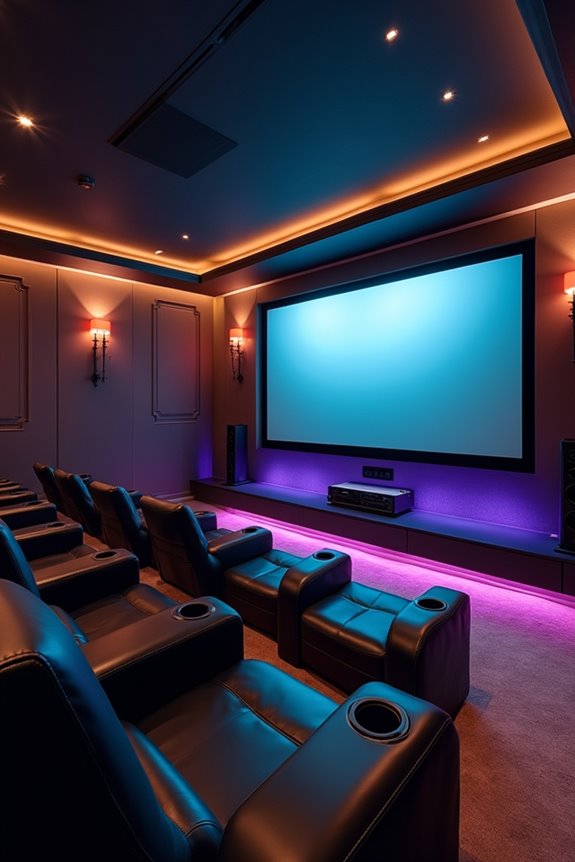
How To Choose Media Console?

Choosing a media console is straightforward when you focus on key factors. First, understand the different types available—TV stands, media consoles, and entertainment cabinets. Next, measure your space and determine the right size for your TV, ensuring console width matches: for a 60–65 inch TV, choose one that’s 65–70 inches wide. Assess storage options for devices and cables, and consider materials for durability. We’ll guide you further through each element to find the perfect fit.
Key Takeaways
- Measure your space and TV size to determine the appropriate console width and ensure it fits comfortably in the intended area.
- Consider the type of media console, such as TV stands or entertainment cabinets, based on your storage needs and aesthetic preferences.
- Look for storage features that accommodate your devices, including organized shelving and effective cable management options to keep your setup tidy.
- Choose materials based on durability and longevity; solid wood offers richness, while engineered wood is cost-effective and sustainable.
- Ensure future-proofing with compatibility for new technologies and heat management features to maintain optimal performance of your devices.
Understanding Different Types of Media Consoles
When you’re looking to choose the right media console, it’s essential to understand the different types available. Familiarizing yourself with media console types helps you select a piece that fits both your style and storage needs.
Here are some options:
- TV Stands: Basic support for TVs, usually offering minimal storage.
- Media Consoles: Provide more storage and surface area for devices and decor.
- Entertainment Cabinets: Larger units, often featuring doors to conceal the TV and extra storage.
- TV Armoires: Combine concealed storage with a dedicated space for your TV, allowing for a clean look.
- Modular Media Centers: Offer customization with different components to suit specific requirements, often including built-in shelving and drawers for organized media storage.
Assessing Your Space Requirements
Evaluating your space requirements is essential, as it guarantees that your media console not only fits your room but also enhances its functionality. To start, we recommend measuring the space dimensions of your intended area. Make sure to note wall width and height to avoid crowding.
Consider your existing furniture arrangement. Analyze how your console will fit within the layout, ensuring adequate clearance for TV viewing and user seating. For smaller spaces, compact consoles with vertical storage are ideal. Additionally, assess the ideal dimensions like depth and height to ensure optimal viewing comfort.
Lastly, don’t forget about the accessibility of doorways and hallways for delivery. By carefully analyzing these factors, we’ll create an inviting and comfortable environment, ensuring your media console serves its purpose effectively.
Determining the Right Size for Your TV
Finding the right size for your TV is essential to achieving an ideal viewing experience. To guarantee this, we need to use accurate TV measurement techniques. Remember, TVs are measured diagonally, while media consoles are measured by horizontal width. Here’s a quick guide to console widths based on TV sizes:
- 32–40-inch TV: 45–50 inches wide
- 42–55-inch TV: 55–60 inches wide
- 60–65-inch TV: 65–70 inches wide
- 70+ inch TV: 75 inches or wider
Choosing the right width helps with console balance factors and prevents top-heaviness. Also, consider your room layout and furniture placement; it enhances aesthetics and comfort. Accurate measurements keep your space functional and pleasing, and proper speaker placement is crucial for an optimal home theater experience, so let’s get this right together!
Evaluating Storage and Organization Features
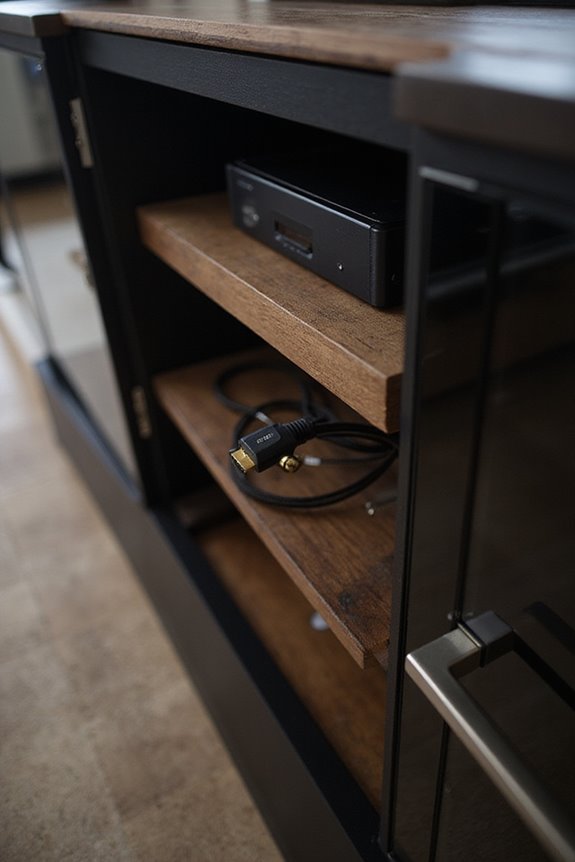
A well-organized media console can considerably enhance your entertainment experience. When evaluating storage features, think about media capacity and storage accessibility. Look for these key elements:
- Component-Specific Storage: Compartments sized for gaming consoles, streaming devices, and sound bars, with ventilation to prevent overheating.
- Adjustable Shelving: Customizable shelves allow you to adapt as your collection grows, optimizing airflow and layout.
- Hidden Storage Solutions: Enclosed cabinets keep cables and accessories out of sight, maintaining a clean aesthetic while ensuring easy access.
- Media Organization: Dedicated spaces for DVDs, games, and accessories help streamline your setup, reducing clutter and enhancing accessibility.
- Cable Management: Built-in cutouts and ventilated compartments prevent tangling and improve airflow around your electronics. Additionally, considering short throw projectors can significantly enhance your viewing experience in compact spaces.
Considering Material and Build Quality
When choosing a media console, it is vital to take into account the material and build quality as these factors markedly impact durability and appearance.
Considerations for Materials:
- Solid Wood: Offers exceptional durability with a lifespan of over 25 years. Woods like oak and walnut provide rich textures.
- Engineered Wood: Provides good durability (15-20 years) and lower costs. MDF is stronger than particleboard and is ideal for paint finishing.
- Metal Frames: Extremely durable with a capacity for heavy weights, lasting 20+ years. They’re resistant to warping and insect damage.
Sustainability Considerations: If you’re eco-conscious, explore wood alternatives like engineered products. A well-constructed console ensures enough space for your tech but also enhances your style, providing lasting quality for your home.
Matching Aesthetics to Your Room Decor
Choosing the right media console to match your room decor can greatly enhance the overall aesthetic. To achieve harmony, consider these key factors:
- Matching Styles: Align your console with existing themes like modern, rustic, or industrial.
- Coordinating Colors: Use colors that complement or contrast with walls and furniture.
- Blending Textures: Incorporate materials like wood and metal to create depth.
- Integrating Designs: Choose consoles that fit your space, from wall-mounted units to bold, large consoles.
- Balancing Finishes: Pair matte finishes with minimalist designs or glossy ones for luxury settings.
Exploring Additional Functional Features
While aesthetics are important, the functional features of a media console can greatly enhance its usability and versatility. When choosing your console, look for:
- Storage Versatility: Mixed compartments for organization, with drawers for concealed item storage and adjustable shelving for various devices.
- Modular Options: Systems that expand or shrink to fit your space and needs. Additional modules can create multifunctional arrangements.
- Built-in Power: Built-in outlets and cable management options keep your devices charged and your space clutter-free.
- Unique Features: Some consoles offer unique lighting options and integrated fireplace features, adding ambiance and enhancing the living space’s overall utility.
These additional features not only improve functionality but also seamlessly integrate into your home’s design.
Analyzing Cable Management Solutions
Cable management solutions can truly elevate your media console experience by keeping your space neat and organized. When analyzing options, consider these effective solutions:
- Cable Sleeves: Flexible PVC sleeves bundle 6 to 8 cables, providing excellent protection from damage and pets.
- Wire Racks: Installed under your console, they conceal cables while maintaining accessibility and protecting your furniture.
- Cable Boxes: These hide multiple cables and power strips for a minimalistic aesthetic integration.
- In-Wall Kits: For a seamless look, run cables inside walls, though they require installation.
- Cable Channels: They attach to furniture or walls, offering neat pathways for cords.
Together, these cable protection methods can enhance both functionality and style in your media setup, promoting a cohesive, clutter-free environment.
Importance of Ventilation Design
When it comes to setting up your media console, understanding the importance of ventilation design is essential for ideal performance. Proper airflow management not only protects your electronics from overheating but also enhances air quality and user comfort in your media space.
Key benefits of effective ventilation solutions include:
- Temperature Regulation: Prevents overheating of sensitive equipment.
- Component Durability: Increases the lifespan of audio and media components.
- Heat Dissipation: Crucial for enclosed cabinets or outdoor setups.
To achieve optimal results, consider options like ventilated panels or open back designs. Incorporating these features early on in your design can lead to long-term savings and better performance, ensuring your setup remains as enjoyable as possible for years to come.
Assessing Future Proofing Needs
As we look ahead to our media setup needs, considering future-proofing features is essential for ensuring long-term functionality. We should prioritize consoles that support the latest connectivity standards, like HDMI 2.1, and high-bandwidth audio/video formats, including eARC for Dolby Atmos. This way, we can enjoy evolving formats without worrying about compatibility.
When evaluating our options, look for:
- Adaptable hardware support with modular compartments.
- Design that allows easy expansion, particularly with customizable cable management.
- Ventilation provisions to keep devices cool and functional.
Choosing Between Open, Closed, or Combination Storage
Choosing the right storage type for your media console can considerably enhance both organization and aesthetics. We have three options: open, closed, or combination storage.
- Open Storage: Provides easy media access and promotes airflow, but it may require more cleaning due to dust.
- Closed Storage: Conceals cables and devices, fostering a polished look while protecting valuable equipment. It often includes cable management systems for neatness.
- Combination Storage: Merges the benefits of both styles, allowing you to display decor while hiding clutter. This design offers great organizational flexibility, combining airflow and protection.
When selecting, consider your room aesthetics, organizational needs, and how visible cords and devices should be. Making the right choice guarantees a cohesive look and functional space.
Evaluating Weight Capacity and Stability
Evaluating weight capacity and stability is essential in selecting your media console, especially after understanding different storage options. You’ll want to take into account the weight limits, which typically range from 75 to 150 pounds for standard models. For larger TVs, look for consoles supporting 170 pounds or more.
- Confirm the console is wider than the TV for stability.
- The depth should range from 16 to 24 inches; this helps prevent tipping.
Remember the importance of weight distribution; placing heavier items on lower shelves enhances stability. Always adhere to safety practices by checking the manufacturer’s specifications, and don’t hesitate to reinforce or anchor your console if necessary. This guarantees a secure setup for your electronics and contributes to your living space’s overall safety.
Customizing With Modular Console Systems
When we consider customizing your media console, modular systems stand out for their flexibility and adaptability. With modular customization, you can easily expand or reconfigure your setup as your needs change. Various modules allow you to mix and match sizes, shapes, and finishes like American Cherry or sleek aluminum for a cohesive style.
Key features of modular consoles include:
- Configurable storage, from shelves to cabinets.
- Functional accessories like pull-out drawers and cord management clips.
- Durable materials such as high-quality hardwoods and powder-coated steel.
This design flexibility means each piece aligns with your personal aesthetic, creating a space that feels uniquely yours. Ultimately, modular systems guarantee you have a console that grows with you and your media needs.
Finding the Right Console Depth
Finding the right console depth is just as important as customizing your media console. We need to evaluate how it fits in our space and with our devices. Here are some depth considerations to keep in mind:
- Standard Depths: Typically range from 16 to 20 inches for ideal accommodation of electronics like gaming consoles and cable boxes.
- Shallow Consoles: Between 12 to 15 inches are great for tight spaces but can limit equipment fit.
- Deeper Consoles: Over 20 inches provide extra storage and airflow, minimizing overheating risks.
Understanding Design Elements and Finish Options
A media console isn’t just a functional piece of furniture; it greatly impacts your room’s overall aesthetic. Understanding design elements and finish options can enhance your space.
Design Trends:
- Traditional consoles offer closed storage, complementing living room styles.
- Open shelving creates an airy feel, perfect for modern decor.
- Minimalist designs emphasize clean lines and simplicity.
Finish Variations:
- Distressed wood adds rustic charm for farmhouse aesthetics.
- High-gloss and natural finishes suit Scandinavian themes.
- Dark woods with metal accents create contemporary vibes.
When choosing, consider how the finish harmonizes with your existing decor. Durability matters—matte finishes often conceal wear better. Remember, the right design and finish can unify and elevate your room.
Frequently Asked Questions
What Design Styles Are Most Popular for Media Consoles Today?
Today, we’re loving mid-century modern and industrial chic designs for media consoles. These styles blend warmth and practicality, creating inviting spaces that reflect our shared appreciation for timeless aesthetics and functional beauty in our homes.
How Do I Choose a Media Console Based on My Personal Preferences?
When we’re choosing a media console, don’t we want it to reflect our personal style while meeting our functionality needs? Prioritizing storage, material, and size guarantees it fits seamlessly into our unique spaces and lifestyles.
Can I Use a Media Console for Audio Equipment as Well?
Absolutely, we can use a media console for audio equipment! It’s versatile enough to store our stereo receivers, turntables, and more, helping us keep everything organized and easily accessible while enhancing our living space’s aesthetics.
What Are the Benefits of Wall-Mounted vs. Freestanding Consoles?
Did you know wall-mounted consoles can save up to 30% more floor space? We love how they offer sleek aesthetics and better cable management, while freestanding options provide traditional charm and extra storage for our essentials.
How Can I Incorporate Smart Technology Into My Media Console Setup?
We can easily incorporate smart devices into our media console setup by exploring automation options. Let’s use voice commands and apps to sync everything, creating a seamless entertainment experience that makes us feel truly connected.