As an Amazon Associate, we earn from qualifying purchases. Some links on this site are affiliate links at no extra cost to you. Our recommendations are based on thorough research and editorial judgment.

Harmony Remote Alternatives

If you’re looking for Harmony remote alternatives, we have several strong options. The Sofabaton X1S supports over 6,000 brands, offers a 2-inch OLED display, and has a rechargeable battery lasting up to 60 days. The Broadlink RM4 Pro handles over 80,000 RF and IR devices and integrates well with smart home systems. For those considering smart voice controls, the Fire TV Cube manages streaming and other devices hands-free. There are plenty of effective choices available, so keep exploring to discover more.
Key Takeaways
- The Sofabaton X1S offers broad compatibility and an intuitive app, making it a strong alternative to Harmony remotes.
- The Broadlink RM4 Pro supports a vast array of RF and IR devices, suitable for smart home automation.
- Fire TV Cube combines streaming capabilities with voice control, serving both entertainment and smart home management functionalities.
- Premium professional systems like Control4 and Crestron provide advanced customization options for a sophisticated entertainment setup.
- When selecting a remote, consider usability, device compatibility, and reliable performance to ensure long-term satisfaction.
Sofabaton X1S Universal Remote
The Sofabaton X1S Universal Remote is an impressive solution for anyone looking to simplify their entertainment setup. With the amazing SofaBaton functionality, we can enjoy seamless integration across a vast range of devices. It supports over 6,000 brands and 500,000 devices, covering everything from TVs to soundbars.
You’ll appreciate how easy it is to utilize remote customization. The sleek design includes a 2-inch OLED display for clear navigation. The omnidirectional hub with two IR blasters guarantees reliable coverage, even in complex environments. Plus, its rechargeable battery lasts up to 60 days on a single charge.
With voice control compatibility, effortless one-touch activities, and intuitive app support, the Sofabaton X1S brings us all together for an enhanced viewing experience. Additionally, it is designed to manage multiple devices easily, ensuring that users can streamline their entertainment setups effectively.
Broadlink RM4 Pro and Other Smart Hub Alternatives

As we explore options beyond the Sofabaton X1S, the Broadlink RM4 Pro stands out as a robust alternative for those seeking to control a wider range of devices. With its impressive Broadlink functionality, it supports over 80,000 RF and IR devices, including TVs and air conditioners.
Key features include:
- RF Compatibility: Works with 433MHz signals for motorized curtains and more.
- App Efficiency: The user-friendly app offers device configuration and cloud updates.
- Automation Potential: Schedule timers for devices and create complex routines.
Smart home integration is seamless with Alexa and Google Home for voice control. Plus, its compact design makes it easy to fit into your home setup. This makes the Broadlink RM4 Pro a solid choice for DIY smart home enthusiasts! Additionally, its support for Bluetooth 5.0 enhances connectivity with various audio devices in your home.
Fire TV Cube and Voice-Control-based Remote Solutions
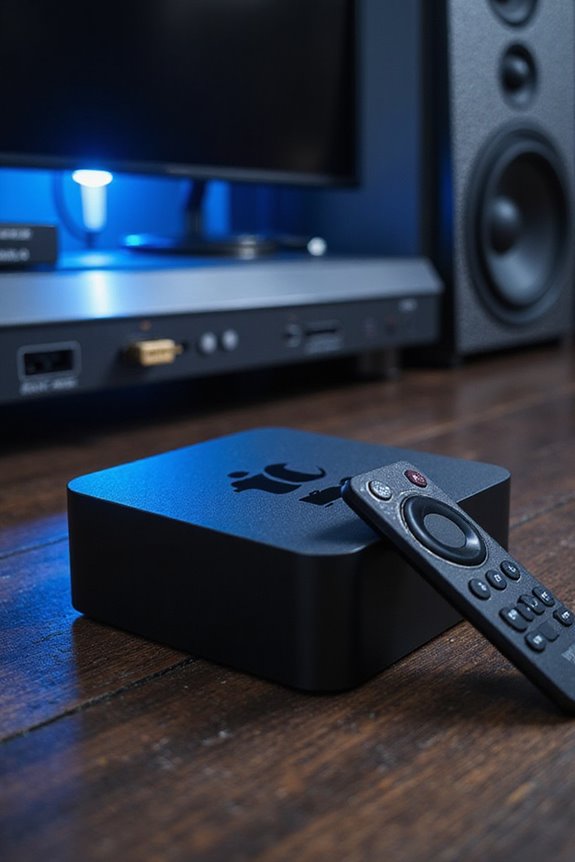
When it comes to seamless home entertainment, Fire TV Cube shines as a standout option. Its 3rd generation boasts an octa-core 2.0 GHz processor for impressive speed, supporting 4K Ultra HD streaming with Dolby Vision and Dolby Atmos audio. With built-in far-field microphones, Alexa control makes using voice commands effortless for everything from navigation to playback.
Key features include:
- Hands-free Alexa control for smart home integration
- Streaming integration with various apps and devices
- Local voice control for speedier responses
The Fire TV Cube not only streamlines your viewing experience but also allows you to control lights, thermostats, and more. This flexible device makes it easy to centralize control, reducing your need for multiple remotes. Additionally, compatibility with advanced audio formats ensures an immersive sound experience when paired with a quality AV receiver.
Premium Professional Installation Systems: Control4, Crestron, URC, RTI
Home automation isn’t just about convenience; it’s also about creating a system that suits your lifestyle and preferences. When considering premium professional installation systems, we’ve got Control4, Crestron, URC, and RTI.
- Control4 advantages include affordability and user-friendly drag-and-drop setup. With built-in streaming, it’s great for music lovers.
- Crestron customization allows for advanced programming and seamless integration with various devices, ensuring a tailored experience.
- URC versatility shines through its robust remote solutions that support RF and Wi-Fi, perfect for complex setups.
- RTI integration excels in providing customizable interfaces, making it a popular choice among professionals. Additionally, these systems can seamlessly integrate with advanced audio formats like Dolby Atmos, enhancing your entertainment experience.
With these systems, you’ll find that blending technology with comfort is both achievable and rewarding. Let’s elevate your home automation journey together!
Software & App-Based Remote Solutions
Finding the right software and app-based remote solutions can greatly enhance your home automation experience. Here are a few options to evaluate for remote access:
- Splashtop: Known for high-definition streaming and low latency, it supports various platforms with robust security features like multi-factor authentication.
- Chrome Remote Desktop: This browser-based solution requires no installation, making it easily accessible.
- TeamViewer: While pricier, it offers strong encryption protocols for secure connections.
- AnyDesk: It provides fast connections with a lightweight design, suitable for mobile and desktop use.
Each of these apps emphasizes ease of setup and user experience, ensuring you can manage your devices smoothly while maintaining security features that protect your data. Furthermore, the importance of user-friendly interfaces in enhancing overall functionality is crucial for seamless operation.
Used Logitech Harmony as a Stopgap or Secondary Option
For many users, Logitech Harmony remotes serve as a reliable stopgap or secondary option when it comes to controlling home entertainment systems and smart devices. Despite their discontinuation, we still appreciate their Harmony remote benefits, like extensive device compatibility and user-friendly activity-based control.
However, there are Harmony remote drawbacks worth noting. Future compatibility may become uncertain as software updates cease, and some newer devices might not integrate well. Additionally, older hardware can lead to battery issues and less efficient performance.
Yet, many find that secondhand options are cost-effective solutions and deliver essential functionality. While exploring alternatives is valuable, the simplicity and familiarity of Harmony remotes often make them an undeniable choice for secondary use in multi-device households.
Key Features to Consider in Remote Alternatives
As we consider alternatives to the Harmony remote, it’s important to focus on key features that will enhance your control over multiple devices. First, compatibility with various device types, from TVs to gaming consoles, guarantees flexibility in your setup. With models supporting between 8 to 60 devices, you can cater to simple or complex needs.
Next, programming simplicity is essential. Look for remotes that offer intuitive smartphone app support, along with online code databases for hassle-free setup.
Lastly, design preferences matter too. Consider remotes with backlit buttons and customizable screens for easy navigation, especially in low light. Features like multi-device “activities” and efficient battery options also enhance overall user experience, making your entertainment sessions seamless.
Comparing Pricing and Value: Which Remote Works for You?
Which remote will truly meet your needs? Let’s explore the options.
- Sofabaton X1S ($150-$180): With the ability to control up to 60 devices and great remote ergonomics, it’s perfect for advanced setups.
- Sofabaton U2 ($49): A budget choice with support for 15 devices, it’s simpler but effective for smaller collections.
- Refurbished Logitech Harmony ($50-$100): Ideal for those who value legacy control despite reduced updates.
- Broadlink RM4 Pro (under $100): Offers IR/RF control but has limited usability factors.
- Fire TV Cube ($110-$130): Best for Alexa users, though not a typical universal remote.
Ultimately, consider your device ecosystem, usability factors, and long-term support when making your choice.
Integrating Voice Assistants: A Look at Smart Remotes
The rise of smart home technology has brought voice assistants into our living spaces, making smart remotes more integrated than ever. With voice command integration, you can control your devices with simple phrases. Imagine saying, “Goodnight” to turn off lights and adjust the thermostat simultaneously.
Multi-assistant compatibility allows us to use different voice assistants like Alexa and Google Assistant together, leveraging their strengths. By assigning tasks per assistant, we can minimize command conflicts, ensuring smoother operation.
Central hubs like Samsung SmartThings or Amazon Alexa enhance this experience by managing multiple devices and routines seamlessly. They provide a command center for our smart home, making daily tasks more efficient and enjoyable. Let’s embrace the convenience of smart remotes!
User Experiences and Reviews of Alternative Remotes
When exploring alternative remotes, many users find themselves weighing their options carefully to find the best fit for their needs. User feedback highlights the Sofabaton X1S, known for its power and intuitive companion app, making device integrations easier. In remote comparisons, setup experiences vary, with some alternatives like HomeRemote requiring more time and patience.
- User Setups: Easy with Sofabaton, complex with others.
- Ease Navigation: Sofabaton’s activity modes simplify control.
However, higher-end systems like URC and RTI offer deep customizations, albeit at a steep learning curve. While some alternatives are praised for multiple signal types, users sometimes encounter inconsistent reliability. Exploring support channels can help to alleviate integration challenges.
Frequently Asked Questions
Can I Use Multiple Remotes Together for Different Devices?
We often find that trying to use multiple remotes can lead to remote control interference. With proper multiple device compatibility, however, we can enjoy seamless control over our different devices, simplifying our entertainment experience together.
How Do I Reset My Universal Remote Device?
To reset our universal remote, we follow specific reset methods for different universal brands. It usually involves entering setup mode and using a sequence of buttons to initiate the factory reset process. Let’s do it together!
Are There Remotes With Backlit Buttons for Low-Light Conditions?
Yes, we’ve found several backlit remotes perfect for low-light usability. They make maneuvering effortlessly in dim environments easier and more enjoyable, allowing us to share cozy movie nights without the hassle of fumbling around for buttons.
Can Universal Remotes Control Smart Home Devices Directly?
No, universal remotes typically can’t control smart home devices directly. They lack universal compatibility and smart integration without additional hubs. However, some newer models may bridge that gap, enhancing our connected experience.
What Should I Consider for Home Theater System Integration?
Sure, we could ignore remote compatibility in our home theater setup, but why make life harder? Let’s consider seamless integration, speaker placement, and comfort for a truly immersive experience. After all, we’re in this together!