As an Amazon Associate, we earn from qualifying purchases. Some links on this site are affiliate links at no extra cost to you. Our recommendations are based on thorough research and editorial judgment.

What Is A Universal Remote?

A universal remote is a versatile device designed to control multiple electronic devices, like TVs, DVD players, and sound systems, all from one unit. It simplifies your entertainment setup, eliminating the need for separate remotes. They come in various types—learning, preprogrammed, and high-end options. Features include advanced programming, multi-device control, and compatibility with voice assistants. While they offer convenience, some may face compatibility issues with new devices. Discover more about their benefits and features beyond this overview.
Key Takeaways
- A universal remote consolidates control of multiple devices, such as TVs and sound systems, into one unit for convenience.
- It simplifies the entertainment experience by allowing management of devices from different brands.
- Universal remotes come in various types, including learning, preprogrammed, and high-end professional models.
- They utilize communication technologies like infrared, radio frequency, and Wi-Fi for device integration.
- Advanced features include macro programming, multi-device control, and user-friendly enhancements for improved usability.
Definition and Purpose of a Universal Remote
A universal remote simplifies your entertainment experience by consolidating control of multiple devices into one handheld unit. It allows you to manage your TV, DVD players, sound systems, and more without the hassle of multiple controllers.
Thanks to its origins in universal remote history, starting with Philips in 1985, we’ve witnessed impressive advancements in multi-device control.
Purpose of a Universal Remote:
- Convenience: Streamlines operation into a single point of control.
- Compatibility: Supports a range of devices from various brands.
- Automation Features: Allows complex command sequences with one button.
With programmable memory, it saves control codes for different devices, enhancing your entertainment experience while reducing clutter. This remote isn’t just a gadget—it’s the heart of your home setup. Additionally, many universal remotes are designed to control multiple devices simultaneously, ensuring seamless entertainment management.
Types of Universal Remotes

Understanding the different types of universal remotes can help you choose the right one for your needs. Here’s a quick overview:
- Learning Remotes: These can internalize signals from original remotes, allowing custom functions for complex devices.
- Preprogrammed Remotes: Loaded with control codes, they’re great for basic setups and require no extra programming.
- High-End and Professional Remotes: Brands like Control4 and Savant offer extensive customization, often needing professional installation for complete home automation.
- Hybrid Technology Remotes: They use IR, RF, and IP, enabling control through walls and smart integration.
- Smartphone Remotes: These apps provide remote access from anywhere, replacing physical remotes for flexibility and ease. Additionally, many modern remotes come with customization options to enhance user experience and streamline control.
Communication Technologies Used
When choosing a universal remote, it’s important to take into account the communication technologies used, as they directly impact how effectively the remote will control your devices.
- Infrared signals are the most common, requiring line-of-sight to function.
- Radio frequency (RF) extends beyond obstacles, allowing control from another room.
- Bluetooth technology offers short-range connectivity and two-way communication for advanced functionalities.
- Wi-Fi communication enables control of smart devices without proximity limitations, but may need extra hardware for IR devices.
Additionally, some remotes use hybrid protocols combining these technologies, maximizing compatibility across various brands. By understanding these options, we can choose a remote that truly enhances our home entertainment experience. A universal remote’s setup processes and usability features can greatly influence user satisfaction and convenience.
Features and Functionalities
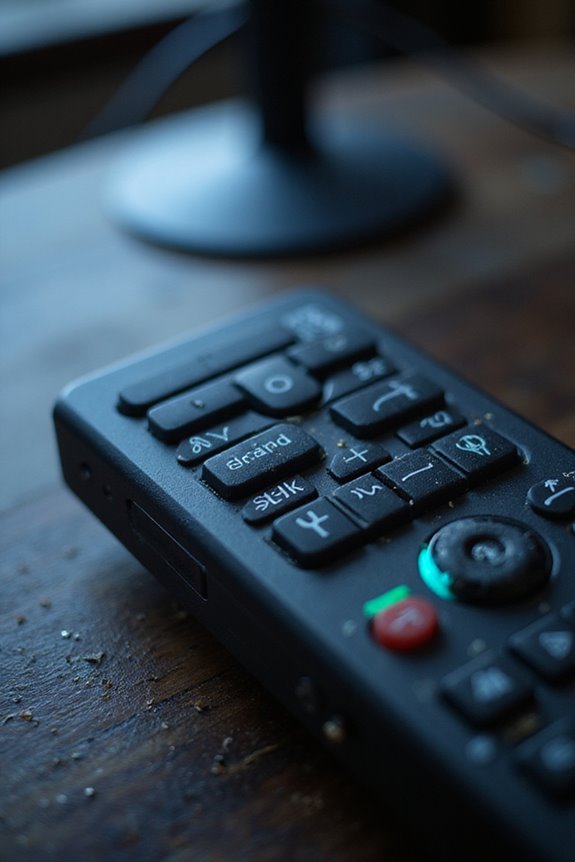
The communication technologies we’ve explored set the stage for the diverse features and functionalities found in universal remotes. Many of these devices boast impressive customization options, allowing you to personalize layouts, fonts, and sounds.
Key Features:
- Advanced Programming: Macro programming enables one-button execution of multiple commands, while learning functionality captures signals from original remotes.
- Multi-Device Control: Some can consolidate controls from up to eight remotes, managing TVs, DVD players, and game consoles seamlessly.
- User Interaction: Voice control options with assistants like Alexa streamline hands-free operation.
Convenience is key—features like backlit buttons and pick-up sensors enhance usability in any environment. Embracing these functionalities makes your experience effortlessly efficient and tailored to your lifestyle. Additionally, many models include customizable options that allow users to set up personalized shortcuts for their favorite apps.
Usage and Compatibility Considerations
Choosing the right universal remote involves several essential usage and compatibility considerations you should keep in mind. First, device selection is vital. Confirm the remote can control all your devices by verifying it supports their brands and models.
Here are key points for compatibility validation:
- Check the remote’s code library to match your devices.
- Some remotes utilize infrared (IR) technology for TVs, while garage door openers often require radio frequency (RF).
- Emerging tech like Wi-Fi and Bluetooth may impact how your remote interacts with smart devices.
- Guarantee correct programming by either entering device codes directly or using the automatic search feature. Additionally, wide compatibility ensures that the remote can manage multiple devices, enhancing usability in your home entertainment setup.
Advantages of Using a Universal Remote
Using a universal remote offers several advantages that can considerably enhance your home entertainment experience. It provides remote convenience by controlling multiple devices with just one remote, reducing complexity in managing our electronics. No more searching for different remotes—we save time and frustration.
Key Advantages:
- Home Organization: Fewer remotes mean less clutter, making our living space tidier.
- Cost Savings: One remote reduces battery usage and maintenance costs, providing better value.
- Customization: We can program macros for effortless control over various devices.
- Easy Setup: Most universal remotes are straightforward to set up and adapt to new devices easily.
Limitations of Universal Remotes
While universal remotes provide convenience, they come with a range of limitations that can hinder their overall effectiveness. Here are some key aspects to reflect upon:
- Device Limitations: Not all devices, especially newer ones, are compatible, leading to functionality gaps. You might miss advanced features or controls.
- Manual Programming: The setup can be frustrating, as it often requires time-consuming code searches.
- Signal Issues: These remotes depend on line-of-sight, which can create reliability problems.
- Battery Concerns: Constant battery replacements can interrupt your user experience and add to user frustrations.
How to Set Up a Universal Remote
Setting up a universal remote may seem challenging, especially given the limitations we’ve covered. However, we can make it easier by following a few key steps. First, verify your device is turned on and check that the remote batteries are fresh. Next, refer to the code list for your device brand.
Setup Methods:
- Manual Code Entry: Press and hold the device button until the indicator light turns on. Enter the code from the list, and the light will confirm whether it’s accepted.
- Auto Code Search: Hold the device button and a setup button; then press to cycle through codes until the device responds.
Finally, test common functions to validate successful setup. If unsuccessful, repeat with alternative codes.
Tips for Programming Your Universal Remote
When programming your universal remote, it’s helpful to follow a few straightforward tips that can save time and frustration. First, we should verify our remote supports the devices we want to control. Check its documentation for compatibility details, and keep original device manuals handy.
When entering device codes, do so carefully—programming errors can lead to confusion. If a code doesn’t work completely, try others for better functionality. For quick setup, utilize the auto code search feature, but remember to keep the remote aimed at the device.
After programming, test all major functions like volume and input selection. If something isn’t working, reprogram using a different code or try the device brand search for alternatives. This way, we enhance our user experiences!
Troubleshooting Common Issues
Troubleshooting common issues with your universal remote can seem challenging, but it often comes down to a few manageable categories.
- Battery Replacement: Weak batteries are often the culprit. Replace them with a fresh set, and check for corrosion or dirt.
- Obstructions Troubleshooting: Verify there are no obstructions blocking the infrared signal. Clear sightlines enhance performance.
- Button Issues: If buttons feel stuck, it might be time for a reset or deal with internal damage.
- Programming Errors: Incorrect device codes lead to failures in pairing. Utilizing manufacturer support can help resolve this.
- Firmware Updates: Keep your device firmware up to date for maximum compatibility.
Trends in Universal Remote Technology
Trends in universal remote technology are rapidly evolving, reflecting the growing need for convenience and connectivity in our smart homes. We’re seeing a significant integration of voice control, making it easier for you to manage devices hands-free. Smart home integration is becoming commonplace, allowing you to control lighting, thermostats, and entertainment systems all from one device.
Key features include:
- Touch interface enhancements for intuitive use.
- Activity-based automation, which means you can set up presets like “Watch TV” for multi-device coordination.
- User preferences that allow the remote to learn your habits for streamlined operation.
- Sustainability features, including energy-efficient device control.
These innovations guarantee that universal remotes adapt to our modern lifestyles, bringing simplicity and harmony to our living spaces.
Future Directions for Universal Remotes
As we look ahead, universal remotes are set to undergo groundbreaking transformations that will redefine how we interact with our smart homes. Here’s what you can expect:
- AI Integration: Enhanced connectivity with smart devices for effortless control.
- Gesture Control: Intuitive command through natural movements.
- Security Enhancements: Improved encryption and user privacy modes to keep your data safe.
- Customizable Interfaces: Adaptive layouts based on device usage, simplifying navigation.
- Energy Efficiency: Automatic sleep modes and rechargeable options for sustainability.
- Voice Interaction: Built-in voice assistants for hands-free convenience.
- Multi Device Ecosystems: Seamless management of various gadgets at home.
These advancements will create a more user-friendly experience while promoting eco-friendly design principles.
Comparing Universal Remotes With Device-Specific Remotes
When comparing universal remotes with device-specific remotes, it’s crucial to recognize the strengths and limitations of each option. Universal remotes control multiple devices, reducing clutter, while brand remotes guarantee optimized functionality for specific devices. Here are some key points:
- Compatibility: Universal remotes may lack advanced features of brand remotes but can mimic commands from existing remotes.
- Convenience: One universal remote often costs less than several brand remotes, consolidating expenses over time.
- Customization: Programmable universal remotes allow for macros and customized controls, unlike straightforward brand remotes.
- Setup: Brand remotes typically work right out of the box, while universal remotes may require programming.
Ultimately, your choice depends on your needs for compatibility, convenience, and the devices you own.
Frequently Asked Questions
Can Universal Remotes Work With Older Devices?
Yes, universal remotes can work with older devices, but we often face compatibility issues and programming challenges. It’s crucial to check compatibility and understand setup processes to guarantee smooth integration with our vintage tech.
Do Universal Remotes Require Batteries?
Yes, universal remotes require batteries to function. We often find different battery types, like AAA or AA, depending on the model. Ensuring remote compatibility with the right batteries is key to enjoying seamless control.
How Long Do Universal Remote Batteries Last?
Universal remote batteries can last anywhere from a few months to over a year. We recommend using high-quality batteries, checking battery lifespan regularly, and replacing them when needed to keep our devices functioning smoothly.
Can I Use a Universal Remote for Gaming Consoles?
Sure, we can use a universal remote for gaming consoles, but isn’t it ironic? While we’re all set for simple controls, gaming compatibility remains a challenge during remote setup. Let’s stick to dedicated controllers for a real experience.
Are There Universal Remotes for Smart TVS?
Yes, there are universal remotes for smart TVs, compatible with brands like Samsung and LG. We can easily navigate the setup process together, ensuring our remote controls multiple devices, enhancing our viewing experience.